If you’re looking at automation tools for the first time, the choice between n8n, Make (formerly Integromat), and Zapier can feel overwhelming. All three can connect apps, automate workflows, and save your team time. All three have enthusiastic communities and convincing case studies.
But they are quite different tools, designed for different contexts and different users. Choosing the wrong one means either paying too much for simplicity you don’t need, or underestimating the complexity you’re about to take on.
This comparison cuts through the marketing and gives you a straight answer on which tool fits which situation.
The Quick Summary
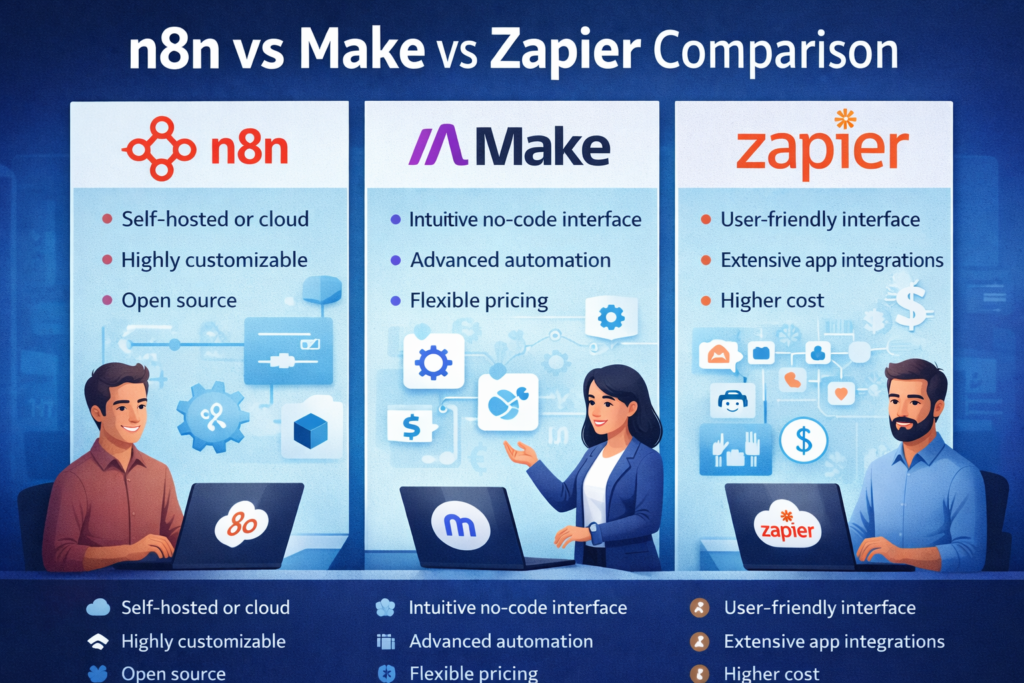
Zapier: The easiest to use, the most expensive per task at scale, and the best choice for non-technical teams who need simple app-to-app automations fast.
Make: More powerful and more visual than Zapier, better pricing at scale, ideal for complex multi-step workflows without needing to write code.
n8n: The most technically capable, significantly cheaper (especially self-hosted), and the best choice for technical teams or those with complex, custom automation needs.
Understanding Each Tool
Zapier
Zapier is the grandfather of no-code automation. It’s been around since 2011, has the largest library of app integrations (6,000+), and is genuinely the simplest tool to use for basic automations.
The core concept is simple: a Trigger (something happens in App A) causes an Action (something happens in App B). Multi-step Zaps allow chains of actions. Filters and paths allow basic conditional logic.
Best for: Small businesses and non-technical teams who need to connect popular apps quickly. Ideal use cases include: sending Slack notifications when a form is submitted, adding new email subscribers to a CRM, posting social media content on a schedule.
Pricing model: Task-based (you pay per automation run). This works fine for low-volume automations but gets expensive quickly at scale.
Limitations: Zapier gets expensive at volume. Complex workflows with many conditional branches can become unwieldy. Limited data transformation capability without upgrading to a paid plan. Less flexibility than Make or n8n for complex use cases.
Make (formerly Integromat)
Make takes a more visual, more powerful approach than Zapier. Workflows are built as visual flowcharts rather than linear step lists, which makes complex multi-step automations more intuitive to design and maintain.
Make supports far more complex logic — conditional routing, iteration over arrays, error handling, and data transformation — without needing to write code. Its visual interface makes even complex workflows readable at a glance.
Best for: Operations teams and business analysts who need more sophisticated workflows than Zapier can handle, but don’t have a technical developer to build them. Also excellent for teams who previously found Zapier limiting.
Pricing model: Operations-based rather than task-based, which means a single complex automation with many internal operations still counts efficiently. Generally better value than Zapier at medium scale.
Limitations: The visual interface, while powerful, has a steeper learning curve than Zapier. Make’s documentation and community are smaller than Zapier’s. Less flexibility than n8n for deeply custom or code-heavy workflows.
n8n
n8n is a different type of tool. It is open-source, can be self-hosted, and is significantly more technically capable than either Zapier or Make.
n8n supports JavaScript code nodes — meaning you can write actual code inside your workflow for any transformation or logic that the visual interface can’t handle. It supports complex data structures, custom API integrations, AI agents (LangChain, OpenAI), and webhook handling. It is genuinely a professional automation development platform.
Best for: Technical teams, developers, and organisations that need maximum flexibility and control. Also ideal for organisations building AI-powered automations (n8n has native AI agent functionality). The self-hosted version is extremely cost-effective at high volumes.
Pricing model: Self-hosted version is free (you pay for hosting). Cloud version starts from €20/month. At high automation volumes, self-hosting is dramatically cheaper than Zapier or Make.
Limitations: n8n requires more technical knowledge to set up and maintain — especially self-hosted. The learning curve is steeper. For non-technical teams, it’s likely overkill.
Head-to-Head Comparison
| Feature | Zapier | Make | n8n |
| Ease of use | ★★★★★ | ★★★★ | ★★★ |
| Power/flexibility | ★★★ | ★★★★ | ★★★★★ |
| App integrations | 6,000+ | 1,500+ | 400+ (+ custom) |
| Pricing at scale | Expensive | Moderate | Very cheap (self-hosted) |
| AI automation support | Basic | Moderate | Excellent (LangChain) |
| Code support | No | Limited | Full JavaScript |
| Self-hosting | No | No | Yes |
| Community/docs | Largest | Good | Growing fast |
| Best for | Non-technical, simple | Business analysts, complex | Technical teams, AI |
Which Tool Should You Choose?
Choose Zapier if:
- You or your team are non-technical
- You need to connect popular apps quickly without learning a new tool
- Your automation volume is low (under 2,000 tasks/month)
- You’re just getting started with automation and want to move fast
Choose Make if:
- You need more complex workflows than Zapier can handle
- You’re comfortable with a visual tool but don’t want to write code
- Your automation volume is medium-to-high (5,000–50,000 operations/month)
- You want to build conditional, multi-path workflows that would be messy in Zapier
Choose n8n if:
- You have technical capability in your team (or you’re working with a developer)
- You need maximum flexibility — custom APIs, complex data transformations, or code
- You want to build AI-powered automations (n8n’s AI node support is excellent)
- Your automation volume is high and self-hosting makes cost sense
- You’re privacy-conscious and want your automation data on your own infrastructure
If you’re an SME with no technical team and simple needs: Zapier.
If you’re an SME with more complex workflows and cost sensitivity: Make.
If you’re a technically-capable team or working with an automation developer: n8n.
The AI Automation Angle
One increasingly important consideration is AI automation support — the ability to use AI agents, LLMs, and intelligent decision-making inside your workflows.
n8n is the clear leader here. It has native LangChain support, allows you to build AI agents that can reason and make decisions, and integrates cleanly with OpenAI, Anthropic, Hugging Face, and other AI providers. If your automation roadmap includes AI agents, n8n is the most capable platform.
Make has added some AI capabilities but is less sophisticated for agent-based workflows. Zapier has AI features, but they’re primarily limited to text generation (summarise this, write that) rather than true AI agent functionality.
At Easify AI, we build most of our client automations on n8n — both for its flexibility and its AI capabilities. If you’re building towards AI-augmented workflows, it’s the platform we recommend.
Can You Use Multiple Tools?
Yes, and many organisations do. A common pattern:
- Zapier for simple, one-off automations that need to be set up quickly
- Make for complex cross-functional processes
- n8n for AI-powered automations and custom integrations
That said, managing multiple automation platforms adds complexity and maintenance overhead. Where possible, it’s cleaner to standardise on one tool. Our general recommendation: start with Make if you’re non-technical and need more than Zapier, or n8n if you have or are working with technical capability.
Need Help Choosing or Building?
Easify AI builds workflow automations across n8n, Make, and Zapier — and we’ll always recommend the right tool for your specific situation rather than defaulting to whatever we happen to prefer. Book a free consultation to discuss your automation needs.