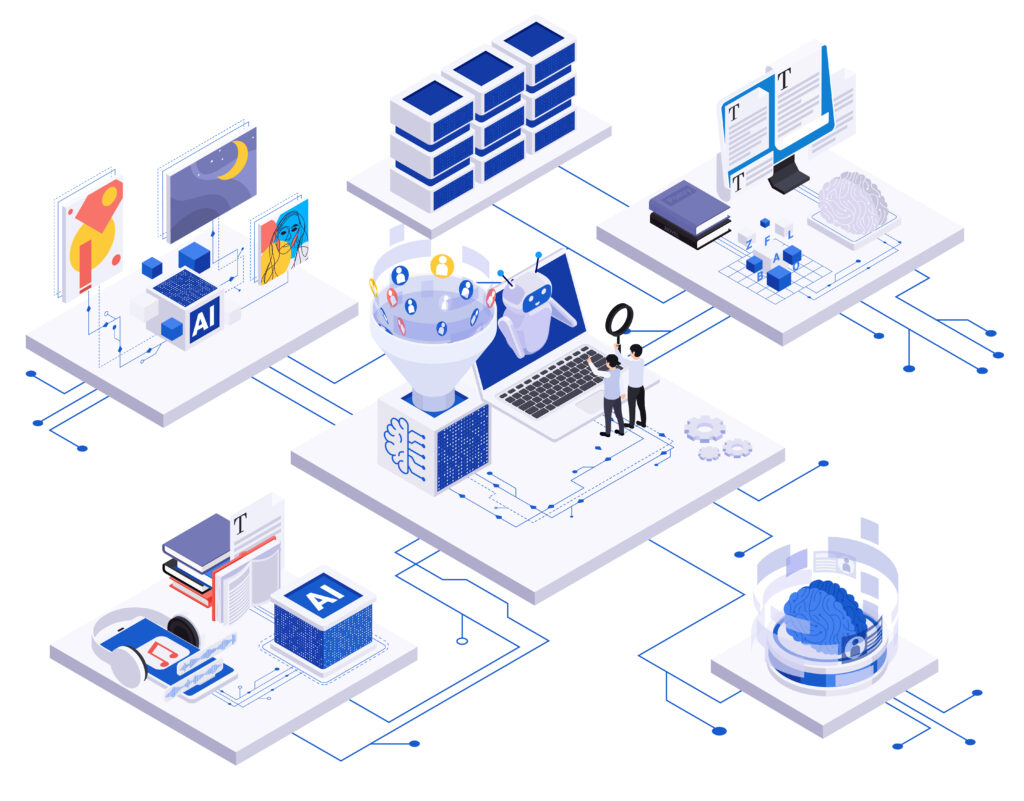
Modernizing legacy systems can feel like navigating with a compass – it requires clear direction and the right tools.
Legacy IT systems have been reliable workhorses for many small and mid-sized businesses, but they often become obstacles to agility and growth in today’s digital age. In fact, 74% of IT leaders say legacy systems are a significant hurdle to digital transformation, and maintaining these aging systems can consume 60–80% of an IT budget. Fully replacing a core system is usually risky and costly, so how can you modernize without ripping everything out? This step-by-step guide will show how integrating Artificial Intelligence (AI) components into your legacy infrastructure can breathe new life into old systems – without a full replacement. We’ll cover practical steps like assessing your current setup, adding AI-powered automation layers, using APIs or robotic process automation (RPA) to bridge old and new, cleaning up your data, and ensuring security along the way. The goal is to help SME business leaders upgrade their legacy systems gradually using AI, so they become more efficient, data-driven, and adaptable, all while keeping core operations running smoothly.
Why Modernize with AI? Modernizing isn’t just about staying current for its own sake – it’s about solving real business pain points. Legacy platforms might be slow, hard to integrate with new tools, or prone to manual workarounds. AI technologies (like intelligent automation, machine learning, and advanced analytics) can be layered on top of existing systems to automate repetitive tasks, reveal insights from data, and extend the capabilities of your legacy software. For example, instead of manually re-entering data from an old system into a new one, an AI-driven bot could do it for you, or an AI analytics module could sit on top of your legacy database to generate reports and predictions. This incremental “augmentation” approach lets you gain benefits quickly without the disruption of a full system overhaul. Large enterprises are doing it – Blue Cross Blue Shield of Michigan, for instance, transformed its outdated infrastructure into an AI-driven efficient system through incremental transformation and cross-functional collaboration. SMEs can take a similar approach on a smaller scale. By the end of this guide, you’ll have a roadmap for turning your legacy from a liability into a competitive asset using AI.
Let’s dive into the practical steps.
Step 1: Assess Your Existing Infrastructure and Pain Points
The first step is to take a honest look at your current systems and identify where the problems are. What’s holding your business back? It could be slow manual processes, difficulty accessing data, frequent errors, or an inability for systems to talk to each other. Start by gathering input from both your IT team and the staff who work with these systems daily. For example, perhaps your finance team finds that pulling data from your decade-old accounting software for monthly reporting is a tedious, manual process prone to mistakes. Or your sales team might complain that customer data is siloed in an old CRM that can’t interface with newer analytics tools, making it hard to get insights.
Create a list of specific pain points. Common issues include: performance bottlenecks (slow or crashing software), high support costs, security gaps, and integration barriers with newer tools. You might notice employees exporting data from the legacy system into Excel to do things manually – that’s a clear sign of a pain point. Also, assess the criticality of each system component: which parts of the legacy system are mission-critical and must remain stable, and which parts are causing most friction or costs?
At this stage, it’s useful to quantify the impact. How much time is spent on manual work due to the legacy system? How often does it cause delays or errors? For example, if staff spends 10 hours a week on data entry that could be automated, note that down. These metrics will help build a case for introducing AI solutions and also serve as benchmarks later. Remember, you can’t fix what you don’t understand – a thorough assessment ensures you target AI improvements where they’ll matter most.
It’s also important to identify what still works well in your legacy system. The aim isn’t to throw everything away, but to augment and improve. Maybe your core transaction processing is stable and rock-solid – you don’t want to disturb that. But perhaps the reporting module is outdated or there’s no easy way to get data out for analysis – that’s a pain point to solve. By mapping out strengths and weaknesses, you can plan where an AI “boost” would have the greatest benefit. For instance, if data is locked in a 20-year-old database, an AI-powered analytics dashboard could unlock insights from it. Or if processes are entirely manual, an AI-driven automation bot could eliminate repetitive tasks.
In summary, make a blueprint of your legacy estate: list your systems, their technologies (maybe an old ERP, a custom Access database, etc.), known issues, and opportunities for improvement. This assessment is the foundation for the next steps.
Step 2: Plan for Integration Without Disruption
Now that you know your pain points, the next step is planning how to introduce AI improvements without breaking your existing operations. The mantra here is “augment, not replace.” You want to slowly layer improvements on top of what you have, so the business can keep running throughout the transformation. To do this, it helps to adopt a mindset of composable architecture – think of your legacy system and new AI components as puzzle pieces that can be fit together gradually.
One effective strategy is to encapsulate your legacy system’s functions and expose them in modern ways. For example, you can wrap an old system with new interfaces. Many organizations start by building APIs for legacy systems – these Application Programming Interfaces act as bridges, letting new applications talk to the old system without altering its core. If your legacy database or app doesn’t have an API, you might create one as a safe wrapper. This way, an AI module or a new app can request data or trigger transactions in the legacy system through the API. Creating an API layer is like adding an electrical outlet to an old appliance – it provides a standard way to connect power (data) to new gadgets.
Another approach is to add a “modernization layer” with microservices or middleware around the legacy system. For instance, instead of directly trying to teach your old system new tricks, you build small auxiliary services that handle new tasks. Suppose your legacy system can’t send automated email reports. Rather than rewriting it, you can build a small service (or use a cloud function) that pulls data from the legacy system (via an API or database query) and then uses an AI service to generate a report and email it out. This microservice acts as a modern layer on top of the legacy base. It’s isolated, so it doesn’t risk the stability of the main system, but extends functionality. As another example, if you want to use AI to forecast sales based on historical data in a legacy ERP, you could export that data to a new cloud-based AI model (in a controlled, secure way) and get predictions, rather than trying to run AI inside the legacy ERP itself.
Take a phased approach. You don’t have to modernize everything at once – in fact, you shouldn’t. Identify a specific use case where an AI enhancement could deliver quick wins without huge complexity. Maybe it’s automating one annoying manual process or adding one new insight (like an AI-generated weekly trend analysis). Plan to implement that first as a pilot. By tackling one piece at a time, you reduce risk. Legacy modernization can be incremental: keep the legacy functions running until a new solution is fully ready, then switch over that piece. This way, if something goes wrong with the new AI component, you still have the old process as backup. For example, you might run an AI report generator in parallel with the manual reporting process for a couple of cycles to ensure it’s working correctly before fully replacing the manual step.
Throughout this planning, involve both IT and business stakeholders. Ensure everyone understands that the goal is to help, not to disrupt. When people hear “AI” or “modernization,” they might fear big changes or system downtime. Communicate that your approach is gradual and controlled. By designing integration points (APIs, microservices, or RPA scripts) that sit alongside the legacy system, you reassure folks that the core system will remain intact during the transformation. It’s like renovating a house room by room rather than tearing down the whole building – you’ll always have a livable space while improvements happen.
Step 3: Use APIs, Middleware, or RPA to Bridge Old and New Systems
To connect your legacy system with modern AI tools, you’ll need the right bridging technology. There are three main ways to bridge an old system to new capabilities: APIs, middleware, and RPA (Robotic Process Automation). The choice depends on what your legacy system can support.
- APIs (Application Programming Interfaces): As mentioned, APIs are ideal if you can implement them. Many legacy databases or applications allow read/write access via ODBC, JDBC, or other interfaces – you can build a REST API on top of that. APIs let you pull data from or push data to the legacy system in real-time. For example, you could have an API endpoint /getCustomerData that your AI analytics tool calls to fetch info from the old CRM. Using APIs tends to be robust and high-performance for integration. In fact, AI can even assist here – some modern AI tools can help auto-generate API connectors by analyzing legacy systems, reducing integration time by over 30%. If you have the capability, wrapping your legacy system with APIs is a powerful step to make it “speak” modern technology.
- Middleware / Integration Platforms: Middleware refers to software that sits in between systems to help them talk to each other. This could be an enterprise service bus, a message queue, or simpler iPaaS (integration platform as a service) solutions. For an SME, heavy enterprise middleware might be overkill, but there are lightweight options. Microsoft Power Automate (part of the Microsoft Power Platform) is one accessible tool – it provides connectors to many systems (even older ones like legacy databases or Excel) and can perform actions in workflows. For example, Power Automate could detect a new record in a legacy system’s database and then trigger an AI service (like an Azure AI function) to process that record, and finally put the result somewhere else. Other cloud integration tools like Zapier or Make (formerly Integromat) allow you to connect older systems (perhaps via email, FTP, or database) to modern apps. These act as glue without you having to write a lot of code. Middleware is especially useful for data syncing – e.g. every night, sync or transfer data from the legacy system to a new system where AI algorithms can analyze it.
- RPA (Robotic Process Automation): RPA is often the hero when direct integration isn’t possible. If your legacy system has no APIs or easily accessible database, you can use RPA tools to mimic a human user – essentially, a software “robot” that clicks through the old interface and pulls or enters data. This is a bit of a last resort in terms of architecture (since it’s not as elegant as an API), but it is extremely effective for old systems that were never designed to connect outward. RPA can effectively screen-scrape information or automate data entry. For instance, if you have a green-screen mainframe application or a Windows GUI app from the 90s, an RPA bot can be programmed to navigate it and perform tasks just like a person would, 24/7 and without errors. UiPath and Microsoft Power Automate Desktop are popular RPA platforms, and Robocorp offers an open-source RPA approach. RPA is fast to deploy and relatively low-cost compared to custom integration – it’s often called a “quick fix” but modern RPA is quite robust. In fact, RPA is considered an ideal integration tool for legacy systems that can’t support traditional integration – it’s more flexible and cheaper to set up than modifying the legacy code. Many CIOs now keep RPA in their toolkit specifically to extend the life of legacy apps by automating them, rather than trying risky replacements.
In practice, you might use a combination of these. For example, you could use RPA to extract data from a legacy app daily, then feed that data through an API to a cloud AI service. Or use middleware to orchestrate a process where the legacy system is one step in an automated workflow. The key is that these tools act as bridges – they connect old “islands” of technology to the mainland of modern AI and cloud services.
A real-world example: Suppose you have an old inventory management system that has no API. You want to use an AI service to predict stockouts or optimal stock levels. You could deploy an RPA bot with UiPath to daily export data from the inventory system (perhaps the bot navigates a menu and runs an “Export to CSV” function). Then you use a Power Automate flow to take that CSV, feed it into a predictive analytics model (maybe a simple Python script or a machine learning service), and then write back the predictions (e.g., “order these 5 items now”) into a report or even into the legacy system (possibly via the same RPA bot entering data). This way, without changing the legacy software at all, you’ve added an AI-driven forecasting capability to your business process.
When implementing bridges, always test thoroughly. Make sure the automation or API calls are working correctly and handling errors. RPA scripts especially might need adjustments if the legacy UI changes slightly (though modern RPA uses AI computer vision to be more resilient to changes). Also monitor performance – e.g. if an API is pulling large volumes of data, ensure the legacy system can handle it during off-peak hours. With the right bridging solution in place, your legacy system can begin interacting with AI components as if it were a modern system.
Step 4: Manage Data Cleanup and Interoperability
Data is the fuel of AI. Your legacy systems likely contain years of valuable business data – customer records, transactions, logs, etc. However, that data may be in a format or quality that isn’t immediately ready for modern AI algorithms. Before unleashing AI on your legacy data, you need to clean and prepare that data and ensure different systems’ data can work together (interoperability).
Start by assessing your data quality. Are there lots of duplicates, errors or outdated information in the legacy database? Are fields consistent (for example, dates all in one format, product names standardized, etc.)? AI models are garbage-in-garbage-out – if your legacy data is messy, the AI’s output will be unreliable. It’s well known that data scientists spend 60–80% of their time just cleaning and organizing data before any analysis. While we’re not aiming to turn you into a data scientist, this stat highlights that data prep is crucial for success.
Data cleanup: You might need to dedicate some effort to cleansing your legacy data. This could involve writing scripts to correct obvious errors, using data cleaning tools, or even manual cleanup for smaller datasets. Common tasks include removing duplicate entries (how many customers are entered twice in your old CRM?), filling or removing missing values, and reconciling inconsistent codes or names (e.g., your legacy system might abbreviate “NY” and “New York” in different places – pick one convention). If you’re pulling data from multiple legacy sources to feed into one AI system, ensure they use a common format and terminology. For instance, one system might label an order “Closed” while another uses “Completed” – you’d map those to a single status in the AI dataset.
Interoperability: This is about making sure data can flow between the legacy system and new AI components smoothly. Using the bridging methods from Step 3, set up data pipelines. Perhaps you create a nightly job that extracts data from the legacy system into a modern database or data lake. That modern storage can act as a staging area where AI tools have easier access. Many SMEs choose to centralize data from various old systems into one place (like an SQL database or a cloud storage bucket) as part of modernization, which then becomes the “single source of truth” for analytics and AI. This doesn’t mean the legacy system stops being the system of record for operations, but it means for analysis and new applications, you rely on the consolidated data repository. For example, a retail SME might pull customer data from an old point-of-sale system and website orders into a small data warehouse or even just a SharePoint/Excel file, and then run an AI tool on that combined dataset to find sales patterns.
When moving data around, consider using widely compatible formats (CSV, JSON, or database tables) that your AI tools and legacy tools both can handle. Also, double-check that the data remains in sync. Interoperability isn’t just one-time – it’s ongoing. If your AI model is making decisions on yesterday’s data, ensure that data is updated and reflects any changes from the legacy system. You might use middleware to update in real-time or at intervals. Aim for a setup where your legacy system and new AI components are sharing a coherent view of information.
One useful tactic is to run some initial analytics on the legacy data after cleanup, to validate that it makes sense. You could use a simple BI tool or even Excel with pivot tables on the exported data. If something looks off (e.g., missing records or strange outliers), fix it now. This also helps identify opportunities: you might discover, for example, that certain data that would be really useful for an AI model (say, timestamps or user IDs) aren’t captured in the legacy system. If so, you can plan to augment the data collection going forward (maybe by logging certain events or combining data from another source).
By the end of this step, you want your legacy data to be accurate, consistent, and accessible to the AI components. Think of it as cleaning and tuning the engine before a race – your AI “car” will run much better with high-quality fuel. And ensure you’ve established pipelines so data flows smoothly between old and new systems. With clean, interoperable data, your AI integrations will have a solid foundation to produce meaningful results.
Step 5: Ensure Security and Compliance During the Transformation
Whenever you introduce new technology or connect systems together, you must keep security and compliance front and center – even more so when dealing with AI and legacy systems, which can introduce unique risks. SMEs handle sensitive data too (customer info, financials, etc.), so a misstep could lead to data breaches or compliance violations, which can be costly and damage your reputation.
Secure your integrations: When bridging legacy and AI components, make sure data transfers are secure. Use encryption for data in transit (e.g., if your RPA bot exports a file, ensure it’s transferred over a secure channel or VPN to the AI service). If using APIs, secure them with authentication (so only authorized systems/users can call them). Many legacy systems weren’t built with modern security in mind, so you might need to add security at the integration point. For instance, if you expose a legacy database through a new API, put it behind an authentication layer and perhaps an API gateway that can throttle requests and monitor access.
Access control: Limit who (and what) can access the legacy system and new AI tools. Your AI components might need credentials to pull data from the old system – manage those credentials carefully (store them securely, rotate if possible). If using RPA, the bot will often use a user account on the legacy system; treat that bot account like a real user account with appropriate permissions (ideally read-only if it only needs to extract data, for example). Keep an audit trail of what the AI or automation is doing in the legacy system – many RPA tools log actions, and API calls can be logged too. This way, if something unexpected happens, you have traceability.
Compliance considerations: Depending on your industry, bringing in AI could have compliance implications. For example, if you’re in healthcare or finance, any cloud-based AI service you use must be compliant with regulations (like HIPAA or GDPR). Always check whether data you send to an AI API (like OpenAI’s GPT-4 or others) contains personal or sensitive information – you may need to anonymize or mask certain fields before processing. If your legacy system contains customer personal data, ensure your use of that data via AI still aligns with your privacy policy and regulations. A practical example: if you use an AI service to analyze customer emails (which contain personal details), ensure that service has proper data handling policies or choose an option to self-host the AI model for more control.
Another aspect of compliance is data retention and sovereignty. When moving data from a legacy system to new platforms, be mindful of where the data is stored. If your business has to keep data for X years for legal reasons, make sure the modernization doesn’t inadvertently delete data too soon. Conversely, don’t duplicate sensitive data in too many places without control. Sometimes legacy systems stick around precisely because they are the official record-keepers; if you extract data to new systems, treat those extracts with the same care as the original. You might implement a purge schedule for temporary data stores, etc.
Test for security as you implement. It’s wise to have your IT security person (or an external expert if you use one) review the planned architecture. For example, if you opened a new port or interface for the legacy system to talk to an AI module, is it locked down? If you’re leveraging cloud services, are the API keys secure? Also consider AI-specific threats – e.g. if you integrate a chatbot or AI decision agent internally, ensure it can’t be misused by staff to access data they shouldn’t (you might constrain its permissions).
Remember that earlier, in Step 3, we noted RPA bots can use computer vision to interface with legacy apps. That means they might take screenshots of screens (to find buttons or data). Be cautious that those screenshots (if stored) don’t expose sensitive info. Fortunately, RPA platforms often have vaults for credentials and secure execution modes.
On the positive side, AI can actually enhance security and compliance if used well. AI monitoring tools can keep an eye on system logs and alert to unusual patterns, helping detect breaches. AI can also automatically check that processes remain compliant – for example, a Deloitte study found using AI for compliance checks reduced incidents by 32%. While that study was likely about larger enterprises, the principle applies to SMEs: you could use an AI agent to regularly verify that data transfers or processing meet certain rules (like no credit card numbers are being improperly stored, etc.).
In short, make security a built-in part of your AI transformation plan, not an afterthought. Involve your security advisors and ensure all new components (APIs, bots, data pipelines) follow best practices. By doing so, you protect your business and customers throughout the modernization journey, maintaining trust and compliance.
Step 6: Pilot, Train, and Iterate for Continuous Improvement
With the groundwork laid, it’s time to implement a pilot and iterate. You’ve planned which AI enhancement to tackle first – now build a prototype of it. For instance, if you decided to automate invoice processing by integrating an AI document reader with your legacy finance system, set up that workflow on a small scale. Perhaps take a subset of suppliers and run their invoices through the new AI-driven process while the rest still go through the usual process. This pilot allows you to test the waters without risking everything.
Build a prototype: Use the tools and plans from prior steps to create an initial version of your AI integration. If it’s an internal AI agent or automation, you might not even need coding – you could use a tool like Power Automate or Zapier to orchestrate a workflow. On the other hand, if it’s a more complex AI (like a custom machine learning model), you might start with a basic model or even a rule-based approach as a comparison. The point is to get something working end-to-end: the legacy system provides input, the AI component does its job, and the result goes where it needs to. Keep the scope small and manageable.
Test in a controlled environment: Before going live, test the prototype with historical data or in a sandbox. For example, run last month’s invoices through your new AI agent and see if it extracts the data correctly and enters it into the legacy system properly. Compare the AI’s output with the known correct results. This testing phase will highlight any issues in integration, data mismatches, or AI accuracy. It’s normal to find some bugs – maybe the data format isn’t exactly right or the AI model needs more training examples for a particular case. Refine the solution iteratively. In software, this is akin to agile development: build, test, learn, improve.
Train your team (and your AI): It’s critical to get your employees on board and comfortable with the new AI-enhanced process. For an internal AI agent to truly add value, the people working alongside it need to trust it and know how to leverage it. Conduct a training session for the relevant team members demonstrating the new system. Show, for instance, how the AI agent processes an invoice or generates a report, and how they can interact with it (maybe there’s a dashboard to review AI-flagged items, etc.). Emphasize that this tool is there to assist and take away drudgery, not to replace jobs. Many employees might fear automation at first; transparency and training help alleviate that fear. Show them the benefits: “Look, instead of you manually sorting 200 emails every day, the AI will triage them and you only need to look at the 10 important ones. This frees you to spend time on the important work rather than the grunt work.”
Gather feedback from the team using the pilot. They might point out practical issues (perhaps the AI misses a particular scenario, or maybe the new interface is confusing). Use this feedback to iterate on the solution. Maybe you need to tweak the AI’s thresholds, or add an extra step for manual review on certain cases. Iteration is key. Very few AI or IT projects work perfectly on the first try – what matters is the ability to quickly adjust and improve.
During the pilot, also define success metrics if you haven’t already. How will you know the AI integration is paying off? It could be time saved (e.g., invoice processing time dropped from 10 minutes to 2 minutes per invoice), improved accuracy (e.g., error rate in data entry went from 5% to 1%), or cost savings, etc. Monitor those metrics. If the pilot shows positive results, use that data to build momentum and buy-in for expanding the effort. For example, if your first AI agent saves 5 hours a week, document that and communicate it.
Iterate and expand: Once the pilot is deemed successful, you can gradually roll it out to the broader operation or take on the next pain point. Perhaps after automating invoices, next you tackle automated customer support ticket classification with an AI agent. Apply the same cycle: assess needs, implement a small pilot, get feedback, refine, then scale up.
One important practice in iteration is establishing a continuous improvement loop. Assign someone (or a small team) the role of AI/automation champion who regularly reviews how the AI components are performing and looks for further optimization. Maybe after 6 months, new AI models are available that are more accurate – the champion could update the system. Or business needs might change, requiring adjustments to the automation.
Finally, foster a culture that embraces these AI-driven changes. Celebrate the wins – if the finance team closes the books 2 days faster thanks to the AI enhancement, acknowledge that success. This positive reinforcement helps get broader team buy-in. It shifts the narrative from “our old system is a headache” to “wow, we’ve made our old system smart and efficient with AI – and it’s helping us achieve more.”
Conclusion and Key Recommendations
Modernizing a legacy system with AI is a journey, not an overnight switch. By taking it step by step, SMEs can achieve significant improvements in efficiency and insights without the high risk of a full replacement. To recap, here are some practical recommendations from our guide:
- Start Small with High-Impact Areas: Identify one or two pain points where AI-driven automation or analysis could save significant time or money (e.g. automated data entry, report generation). Begin your modernization here for quick wins. Real-world example: a medium business used an AI agent for invoice processing and cut costs by 68%, nearly eliminating late payment fees.
- Use Bridge Technologies to Avoid Disruption: Leverage APIs or RPA rather than modifying the legacy system. For instance, create an API or use an RPA bot to extract data, instead of changing the legacy code. This keeps core operations stable while new components run in parallel.
- Invest in Data Preparation: Clean up your legacy data and consolidate it if possible. Consistent, accurate data will make your AI solutions far more effective. As the saying goes, “garbage in, garbage out” – remember that data scientists often spend 60–80% of project time on data cleaning. It’s worth the effort.
- Prioritize Security and Compliance: Any new integration or AI service must be secured. Protect data in transit, control access, and ensure you’re following regulations for privacy and data handling. Automation doesn’t remove responsibility – keep humans in the loop for oversight and use AI to assist with compliance checking (AI can help monitor systems for issues, reducing compliance incidents by 32% in studies).
- Educate and Involve Your Team: Bring employees into the process early. Explain what the AI or new tool will do and how it benefits them. Provide training so they feel comfortable with new workflows. This not only smooths adoption but can surface practical insights to improve the solution.
- Iterate and Scale Gradually: Treat your first AI integration as a learning experience. Measure its impact, gather feedback, and refine it. Once it’s delivering value, expand to other processes. Over time, these incremental improvements compound into a big transformation. Continuously look out for new AI tools or features that could further enhance your legacy system’s capabilities, keeping your business on the cutting edge.
By following these steps, an SME can turn an aging system into a smarter, more automated, and more agile platform for the business. You don’t need a Fortune 500 IT budget – just a clear plan and the willingness to adopt new technologies in a phased, responsible way. Legacy modernization with AI is highly achievable and can be a game-changer for efficiency and decision-making. Start with a modest pilot, learn from it, and keep building. Your legacy systems have a lot of life left in them – and with AI as an ally, that life can be more productive and valuable than ever for your business.